
htui
Write interactive terminal interfaces with HTML, CSS and JavaScript




htui is a Rust library that renders HTML documents in the terminal to build
TUIs, with partial CSS and script support. It aligns as closely as possible
with the pure-HTML development experience, functionality and ease of use —
delivering as many features as possible while keeping the library as easy as
possible to pick up.
This project is in an early stage of rapid development. No stability guarantees are made for the API, the rendered interface, or the internal implementation — use with caution.
Quick start
sh
cargo add htui
rust
use htui::{CssSource, HtmlSource, JsSource, Session};

fn main() {
    let html = HtmlSource::inline(
        r#"
        <h1 style="color: steelblue">Hello, htui</h1>
        <p>Press <b>Esc</b> to quit.</p>
        "#,
    );
    let css = CssSource::inline("");
    let js = JsSource::inline("console.log('htui ready')");
    let mut session = Session::new();
    session.render(&html, &css, &js);
}
Interactivity is one attribute away — <button onclick="greet()">, backed by
a #[htui::command] Rust function. See the tutorials below.
Debug source hot reload
Load HTML, CSS, and initial JS with the matching macros:
rust
use htui::{Session, include_css, include_html, include_js};

fn main() {
    let page = include_html!("src/page.html");
    let style = include_css!("src/page.css");
    let script = include_js!("src/page.js");
    let mut session = Session::new();
    session.render(&page, &style, &script);
}
In debug builds, htui watches each source. Saving HTML reloads the whole
document, saving CSS replaces session CSS, and saving JS replaces/re-runs
session JS. Registering or removing a mem:// resource also invalidates the
running document in debug: the input loop re-parses the current HTML so
<script src>, <link>, images, and fetch resolve against the updated
registry. Release builds embed the sources only: no watcher and no source paths
are included. Paths are relative to the current Cargo package root.
Example: terminal music player
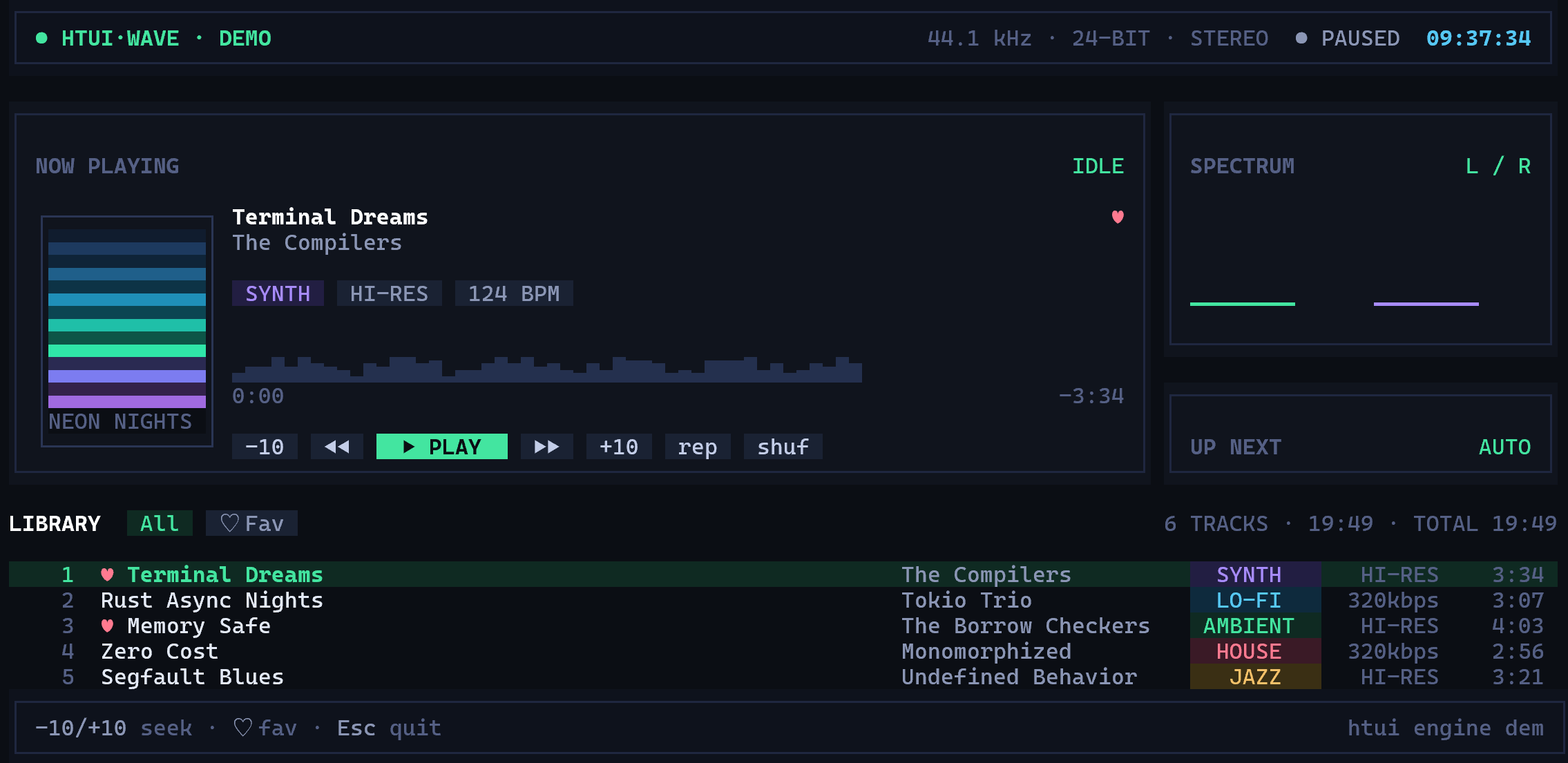
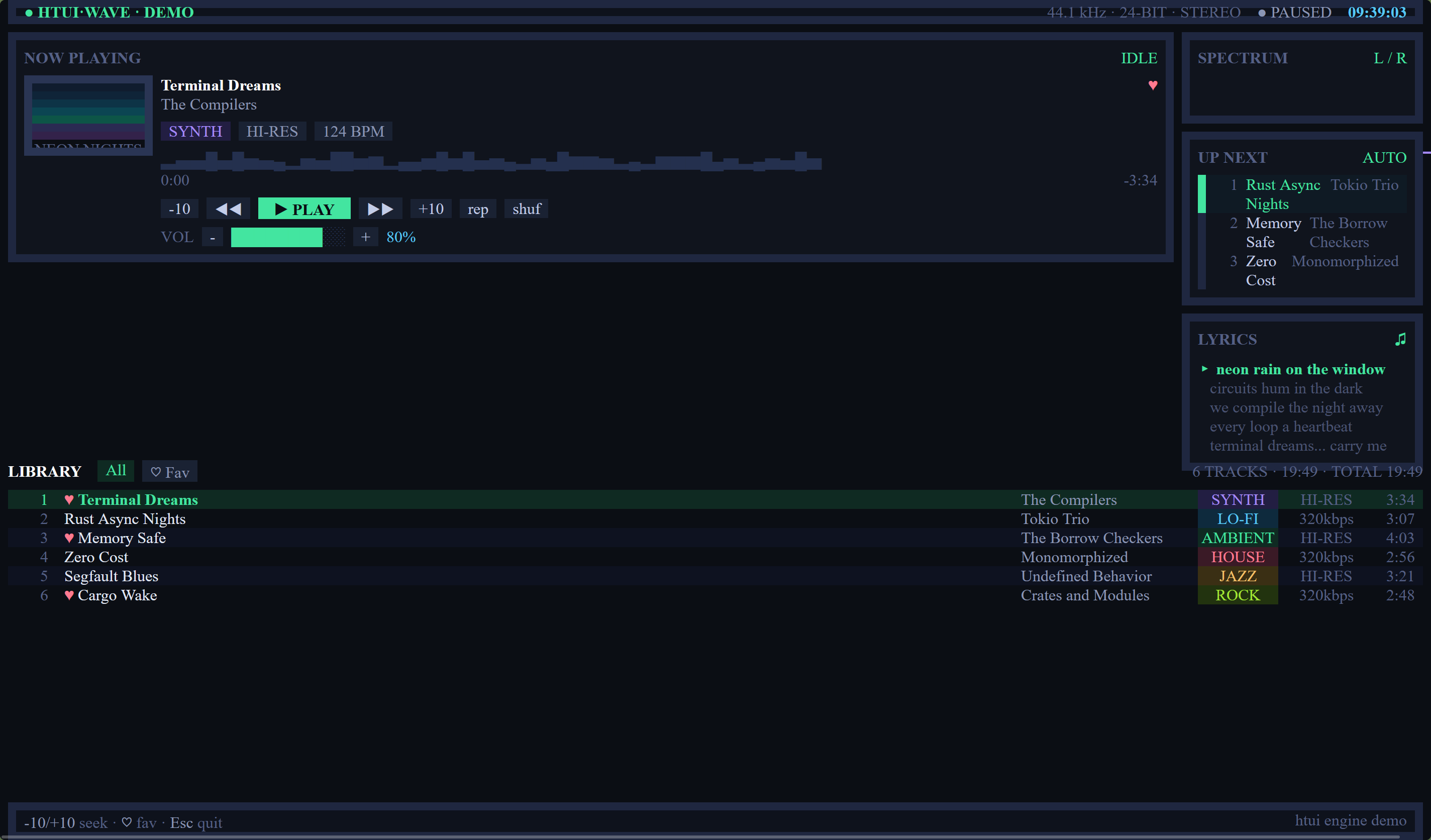
example/ ships a complete music player UI — album art, progress bar,
transport controls, and a playlist with hover and selection highlighting.
It is an interface + interaction demo only; no audio is played. Run it:
bash
cd example
cargo run
Terminal — cargo run |
Browser — same player.html |
|---|---|
 |
 |
Documentation
| Document | Content |
|---|---|
| docs.rs/htui | API reference |
| Tutorial: HelloWorld | Your first page |
| Tutorial: Static terminal | Disabling the event system, render configuration |
| Tutorial: Resources | The mem:// concept |
| Tutorial: Registering and reading resources | The mem:// operations manual |
| Tutorial: Dynamic terminal | Events, timers, built-in keys |
| Tutorial: JS and Rust bindings | Host functions, interop |
| Architecture | Render pipeline and threading model |
| Boundary document | Goals, promises and rejection list |
| Capability matrix | Full comparison against browsers |
| Script layer reference | In-depth script layer documentation |
Platform
Rust 1.89+ (edition 2024).
License
Dual-licensed under Apache-2.0 or MIT, at your option.